Bridal boudoir ideas for a personal AI portrait set
Plan bridal-inspired AI portraits with three covered styling concepts, a six-photo sequence and practical checks for fabric, jewelry and sharing.
At a glance
- Connect the bridal theme through color, fabric and a small personal detail.
- Use one outfit and a mix of close, half-length and full-length frames.
- Treat the set as an imagined portrait session rather than a wedding record.
A bridal-inspired AI portrait can mark a moment without pretending to document the wedding itself. Choose an outfit you feel comfortable seeing, give the set one clear visual theme, and keep the attention on the person rather than a pile of wedding props.
The concepts here are for an adult's own or explicitly authorized, non-explicit portraits. They are planning ideas, not claims that AIGirlShot has dedicated bridal presets or that a particular garment will be reproduced exactly. Start with the available photoshoots, then choose the materials closest to the idea you want.
Three directions that feel different
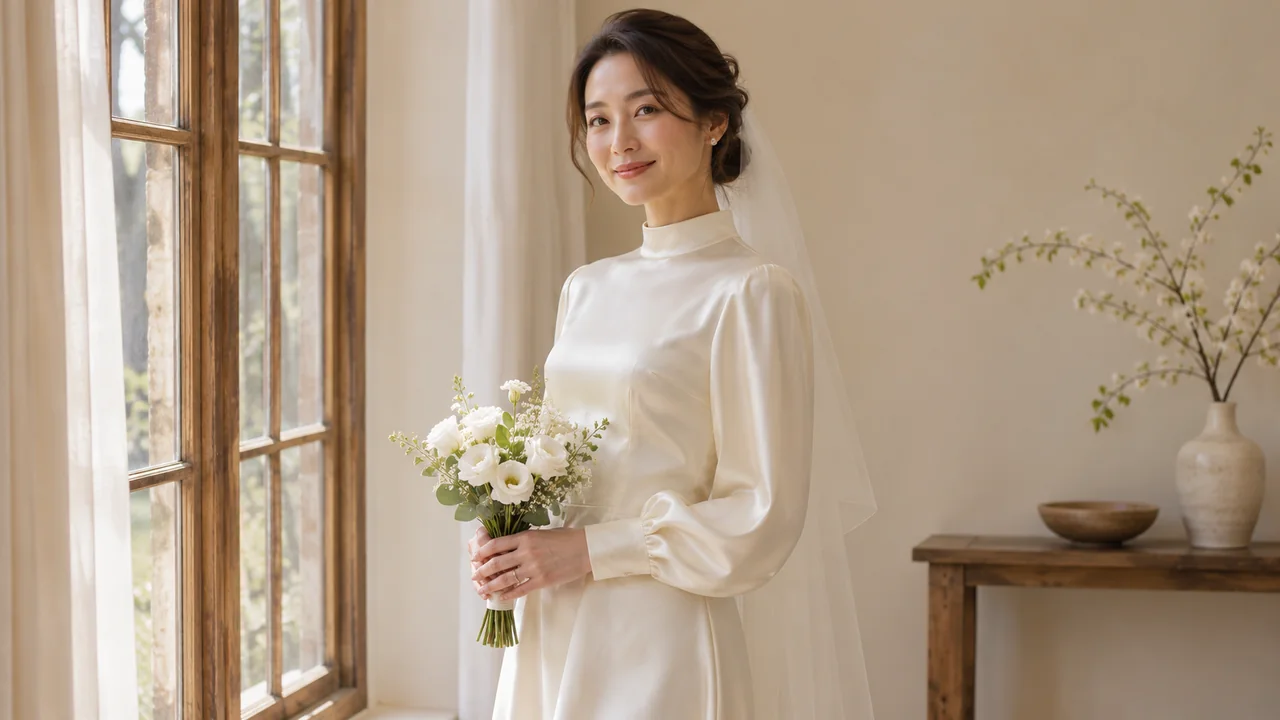
Ivory and quiet daylight
An opaque ivory dress, a plain chair and a pale wall can carry the theme without a veil or bouquet. Choose a background with enough tonal difference that the sleeves and hem stay visible. A waist-up frame can show the neckline; a wider seated frame can show how the fabric falls.
This is a useful concept if the image is mainly for you. A soft expression and an uncluttered room give it a private feeling while keeping the outfit fully covered. If coverage is your first decision, read the outfit guide before choosing the scene.
Tailored wedding-week portrait
Use an ivory or pale neutral suit with an opaque top, a simple studio background and a composed stance. The bridal connection comes from the palette and occasion rather than traditional wedding clothing. Keep jewelry limited to one detail you are willing to inspect closely.
This direction suits a set that includes full-length pictures. The jacket, trouser shape and shoes all contribute to the frame, so give them room. Ask for consistent tailoring across the sequence, but review the results rather than assuming the same lapels and buttons will appear each time.
Evening keepsake
A covered satin evening dress, warm neutral surroundings and gentle side light create a more intimate mood. Choose a neckline and hem length before writing “bridal” or “romantic”; those broad style words leave important decisions open.
The theme can remain bridal even if the dress is champagne, pale pink or another color you prefer. Use complete boudoir concepts to decide how much of the setting belongs in the frame. These ideas are alternatives, not three wardrobe changes that must fit into one generation plan.
Plan six photographs around one outfit
AIGirlShot's portrait planning uses a shared person and outfit with shot-specific poses and scenes. For this teaching example, choose one of the concepts above and keep the setting consistent while changing the composition.
| Photo | Frame | Main job |
|---|---|---|
| 1 | Front-facing waist-up portrait | Establish the face and neckline |
| 2 | Seated three-quarter view | Show the outfit's shape while seated |
| 3 | Full-length standing portrait | Show the complete silhouette and hem |
| 4 | Closer portrait with a slight turn | Give the expression more space |
| 5 | Wider seated portrait | Include the chair and a little of the room |
| 6 | Half-length portrait looking off camera | Finish with a quieter expression |
Remove a frame if it has no purpose for you. The six-photo planning guide helps you decide which variations are worth generating.
Keep meaningful details manageable
An AI image can invent a convincing piece of jewelry that is not your actual jewelry. Decide whether you want a general bridal mood or an accurate depiction of a specific ring, embroidered date or heirloom. They are different standards. Do not treat a generated image as evidence that the real item looked that way.
If a veil is part of the idea, check where it starts, how it meets the hair and whether it has become part of the face or clothing. If the dress has lace, inspect the boundary between fabric and skin. Opaque fabric should stay opaque. A small preview can hide problems that are obvious in the full download.
When a detail repeatedly distracts from the portrait, simplify the next attempt. You can remove the accessory from the plan rather than adding a longer description of every bead.
Decide how the images will be used
For a private keepsake, choose the pictures that feel recognizable and comfortable to you. For a gift, select the recipient and delivery method before exporting a whole set. The private storage and sharing guide covers the choices after download.
For public sharing, a short description such as “AI-created bridal portrait concept” avoids presenting the scene as a real event. This workflow is for a single person; it does not establish that a partner, guest or wedding photographer participated.
If you want a printed gift, check the actual downloaded dimensions and intended crop using the AI photo printing guide. A lovely screen preview is a reason to inspect the file, not proof that it will suit every print size.
Cover: AI-generated editorial illustration, not an AIGirlShot result.
Written by
AIGirlShot Team
Portrait planning and practical guides from the AIGirlShot team.
Related posts